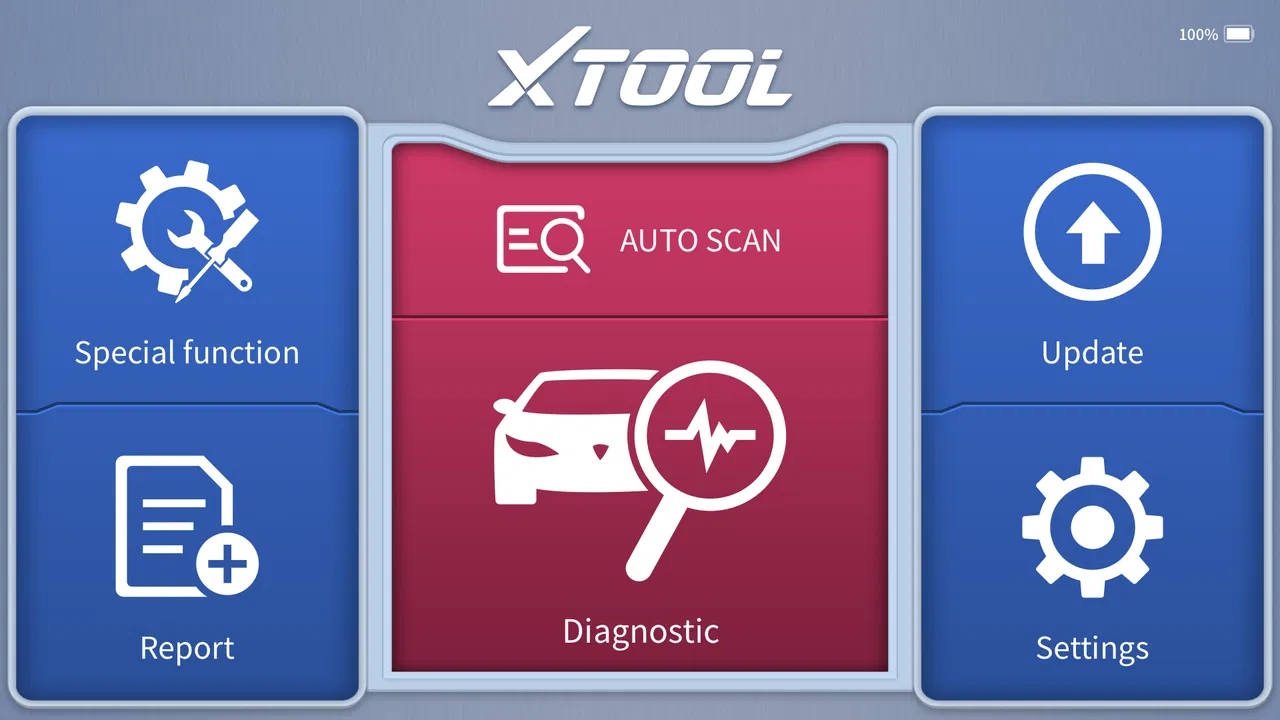
Xtool Anyscan
- 4.0
- Rating
- 100.00K
- Installs
- Free
- Price

 Analysis by App-foxy
I tested Xtool Anyscan as a vehicle-diagnostics companion, and my first impression was that it is aimed at people who want more than a basic “check engine” reader without immediately moving to a workshop-grade computer. It belongs to the Auto & Vehicles category, comes from XTOOL, and is available free of charge. That makes the initial decision simple: you can try the app without paying for access, then decide whether its workflow suits the diagnostic hardware and vehicles you actually use.
The important distinction is that this is not a standalone repair app. It is designed to work with an Xtool Anyscan OBD diagnostic tool, so the usefulness comes from the combination of the mobile interface and the compatible scanner. If you already own the right Xtool device, the app can turn a phone or tablet into a more convenient diagnostic screen. If you do not have compatible hardware, installing it alone will not replace a physical OBD adapter or a complete workshop scanner.
How Xtool Anyscan fits into real vehicle diagnosis
In everyday terms, the app gives technicians and DIY enthusiasts a mobile way to connect with vehicle diagnostic equipment. I see its role as the middle ground between a simple consumer code reader and a large dedicated diagnostic tablet. A phone is easier to carry around, easier to position near the vehicle, and less intimidating when you are checking a family car in a driveway.
You May Also Like

 Google Keep - Notes and lists
Google Keep’s Quiet Growth Shows the Appeal of Simpler Notes
As mobile work gets busier, Google Keep keeps winning a simple contest: capture a thought quickly, find it later, and get on with the day.

 Blood Strike: 2.5 Anniversary
Blood Strike’s Loadouts Turn Every Drop Into a Tactical Gamble
A close look at Blood Strike’s custom loadouts: how fast access to signature weapons reshapes its battle royale rhythm, rewards preparation, and narrows the gap between fights.

 Pandora - Music & Podcasts
Pandora’s Music Is Easy to Start, but Harder to Recover
Pandora’s strength is its low-effort path from a seed to a station. Its weak spot is how much confidence it asks you to place in connection, setup, and quiet recovery.

 8 Ball Pool
 Is Built on Rivalries, Rematches, and Routine
A close look at the rivalries, rematches, shared routines, and unanswered safety questions that turn a quick pool match into a persistent mobile community.

 Samsung Music
’s Quiet Strength Is Playing What You Already Own
Its reach comes less from spectacle than from dependable access to a personal library. That simplicity is both the app’s strongest retention engine and its ceiling.

 AccuWeather: Weather Radar
AccuWeather Review: A Quick, Clear Forecast for Everyday Decisions
For everyday plans, the best forecast is the one you can understand quickly. AccuWeather makes rain timing, radar, and local conditions easy to act on, with a few trade-offs.
More From Our News Desk



The store summary presents it as an OBD diagnostic tool for technicians and DIY users, and that target audience feels accurate. A curious driver can use it for a first look at a warning light, while someone who regularly maintains vehicles can appreciate having diagnostic information in a familiar mobile format. Still, the app should not be treated as a magic fault finder. Reading a code is only the beginning; understanding why it appeared requires vehicle knowledge, testing, and sometimes a proper repair manual.
On Android, the application requires version 7.0 or later, which keeps it accessible to many older phones and tablets. Its current version is 4.40.58, so users should pay attention to compatibility between the app, the Xtool scanner, and the vehicle before planning an important diagnostic job. A phone that installs the application is not automatically guaranteed to provide a complete experience with every vehicle or every Xtool device.
What the free access really means
The app itself is free, and that is the clearest part of its value proposition. I can install it without committing money just to inspect the interface or see whether it fits my routine. However, free access to the software should not be confused with free vehicle diagnosis. The physical Xtool diagnostic tool remains central to the experience, and that hardware is the practical entry point for using the application as intended.
That distinction matters when comparing it with ordinary OBD apps. Many generic apps are built around inexpensive Bluetooth adapters and focus on basic code reading, live information, or simple dashboards. Xtool Anyscan makes more sense for someone already invested in the Xtool ecosystem or considering a compatible Xtool scanner. The app does not create value by itself in the same way a fully independent maintenance guide might.
I also would not judge the app solely by its free label. For a technician, the useful question is whether the mobile workflow saves time and makes the scanner easier to use. For a casual driver, the better question is whether buying or already owning the compatible hardware is justified for the occasional warning light. Those are very different value calculations, even though the download price is the same.
Where the mobile format adds practical value
The strongest advantage is convenience. A phone-based interface can be easier to hold beside the engine bay or inside the cabin than a bulky dedicated unit. I can imagine using it while checking a vehicle before a long trip, moving between the driver’s seat and the front of the car without carrying another large screen. That portability is especially useful for DIY owners who do not have a permanent workshop setup.
There is also a learning benefit. A dedicated scanner can feel like a specialist instrument, while a familiar mobile device lowers the barrier to starting a diagnostic session. That does not remove the need to interpret results carefully, but it can make the process feel more approachable. Someone who is comfortable using a phone may be more willing to record symptoms, compare readings, and investigate a warning instead of immediately guessing at a replacement part.
One workflow I find particularly sensible is to diagnose before buying parts. If a warning appears, I would first note when it happened, whether the vehicle felt different, and what the scanner reports. I would then treat the result as evidence rather than a final verdict. This helps avoid replacing a sensor simply because its code is present when the real cause could be wiring, a connector, a vacuum issue, or another related fault.
Another useful habit is to keep the diagnostic session tied to the vehicle’s symptoms. A code should be read alongside starting behavior, engine temperature, fuel economy, noises, and recent maintenance. The app can support the information-gathering stage, but it cannot make a mechanical judgment for me. That is where the owner’s notes and a reliable repair reference become just as important as the scan itself.
Tradeoffs that matter before relying on it
The main limitation is dependency on compatible hardware. This is not the right choice for someone hoping to download an app and diagnose a car with no scanner. Even if the application is installed successfully, the intended experience depends on connecting it to an Xtool Anyscan diagnostic tool. Before spending money on equipment, I would check the exact scanner and vehicle compatibility rather than assuming that every OBD-equipped car offers the same functions.
There is a second tradeoff between portability and depth. A phone is convenient, but a dedicated professional scanner may offer a more controlled workshop experience, a larger purpose-built interface, or a workflow designed around repeated service jobs. If I were diagnosing vehicles every day, I would compare the app-based setup with the dedicated equipment already used in the workshop. The mobile approach is attractive, but convenience alone does not prove that it is the most efficient option for high-volume work.
DIY users should also be realistic about the difference between access to information and the ability to act on it. A diagnostic result can point toward a system without identifying the failed component with certainty. Clearing a warning without fixing the cause is not a repair, and repeated clearing can make it harder to understand the vehicle’s history. I would use the app to collect information, verify the basics, and decide what to test next—not as permission to replace parts at random.
Connectivity and setup are another practical consideration. Any mobile diagnostic arrangement can be less smooth if the phone, scanner, vehicle ignition state, or communication connection is not ready in the right order. My advice would be to set up the hardware before beginning a time-sensitive job, keep the phone charged, and avoid treating the first session as something to do in a hurry beside a stranded vehicle. A short practice session at home is more useful than discovering the workflow during an emergency.
Useful scenarios for owners and technicians
Consider a driver who sees a warning light on the way home. The sensible use of Xtool Anyscan is not to assume the worst or immediately erase the warning. I would connect the compatible scanner when the car is safely parked, record the diagnostic information, and compare it with how the vehicle is behaving. If the car is running poorly, overheating, losing power, or showing other serious symptoms, the scan should support a safety decision rather than encourage continued driving.
For a DIY owner preparing a used-car inspection, the app can be part of a broader process. I would scan the vehicle, ask about recent repairs, inspect obvious fluid leaks and damaged wiring, and take a test drive. A clean-looking scan should not be treated as proof that the car is perfect, just as a stored code should not automatically mean the vehicle is beyond repair. The value is in adding another source of evidence before making an expensive decision.
A small independent technician may value the app differently. If the compatible Xtool equipment is already available, using a phone can make it easier to move between vehicles and keep the diagnostic display close at hand. The free application can therefore provide practical value without adding a separate software purchase. The tradeoff is that the technician still needs a dependable diagnostic process, suitable hardware, and the knowledge to interpret what appears on screen.
For a vehicle enthusiast, the app may be most useful as a structured starting point. Instead of relying on a vague dashboard message, the owner can gather more specific diagnostic information and then research the relevant system. The best results come from combining the scan with service documentation and careful inspection. That combination turns the app from a code-display utility into one step in a repeatable troubleshooting routine.
Who should use it and who should skip it
I would recommend trying Xtool Anyscan to anyone who already owns a compatible Xtool scanner and wants a mobile interface for vehicle diagnosis. It is also worth considering for DIY users who are prepared to learn basic diagnostic principles and understand that a code is a clue, not a guaranteed parts list. The free download lowers the risk of testing the software before committing to a regular workflow.
It is less suitable for someone who only wants a quick, occasional answer and has no compatible hardware. In that situation, a simple independent OBD reader may be cheaper and easier, especially if the goal is limited to reading a basic engine code. A workshop visit may be the better choice when the problem involves safety systems, complex intermittent faults, or repairs that require specialist testing.
I would also steer away from relying on it alone if the user is uncomfortable working around a running vehicle or does not know how to distinguish a minor warning from a serious fault. Diagnostic tools can encourage confidence, but confidence without a safe procedure can create risk. The app is a useful assistant, not a substitute for mechanical training or professional judgment.
The audience size suggests that it has found a meaningful group of users: it has passed one hundred thousand installs, carries a 4.0 average from around seven hundred eighty ratings, and has roughly ninety written reviews. Those figures make it look established enough to investigate, while the rating also reminds me not to present it as flawless. I would read the general reception as “useful for the right setup,” rather than as proof that it will satisfy every driver or every vehicle.
My value judgment after using the workflow
Because the application is free, I judge its value mainly by how well it complements the required Xtool hardware. If that hardware is already in my toolbox, the app offers a low-cost way to bring diagnostics onto a mobile screen. In that situation, the value can be strong: there is no app purchase standing between me and testing the workflow, and the portable format suits driveway work and occasional inspections.
If I still need to buy the scanner, the calculation changes. The app may be part of a useful diagnostic system, but the total cost is no longer represented by the free download. I would compare the complete Xtool setup with an independent adapter, a generic mobile OBD application, or a dedicated scanner based on the vehicles I service and the depth of diagnosis I need. The best option depends on compatibility and intended use, not simply on whether the app costs nothing.
One subtle advantage is that the free app lets me evaluate the software side before making a larger commitment. I can install it on a suitable Android device, become familiar with its general workflow, and decide whether using a phone feels comfortable. That is more helpful than choosing hardware based only on a product photo. The limitation is that the real test still requires the compatible diagnostic tool and a vehicle on which I can safely work.
My final recommendation
Xtool Anyscan is a sensible free companion for compatible Xtool diagnostic equipment, not a complete diagnosis solution on its own. I like its fit for DIY owners and technicians who want a portable, approachable way to gather vehicle information. Its strongest case is practical: existing Xtool users can try the app without an additional software charge and may find the phone-based workflow easier to carry into everyday jobs.
I would skip it if I wanted a completely independent app, a guaranteed answer from a warning light, or a replacement for professional diagnostic equipment. I would also avoid buying hardware solely because the application is free. First decide what vehicles you need to support, how often you will diagnose them, and whether you are comfortable interpreting results responsibly.
For the right owner, the app can make a capable diagnostic setup feel more accessible. For the wrong owner, it may simply be another interface waiting for hardware that is not available. My verdict is therefore positive but conditional: install it freely if you have, or are seriously considering, compatible Xtool equipment; otherwise, compare independent OBD alternatives before spending money. Its value comes from the complete workflow, and that is where Xtool Anyscan earns its place.
It is rated for Everyone and was released on June 25, 2023, so it is presented as an accessible tool rather than an age-restricted automotive product. Those details do not change the need for safe working habits, but they reinforce the app’s broad intended audience. I would treat it as a practical diagnostic assistant for informed users, with the final repair decision always resting on proper testing and sound judgment.
FAQs for Xtool Anyscan
01What is Xtool Anyscan used for?
Xtool Anyscan is a versatile diagnostic tool designed for automotive professionals and enthusiasts. It allows users to perform comprehensive scans on various car models to detect and diagnose issues. The app provides real-time data, error codes, and troubleshooting information to help users maintain their vehicles efficiently.
02Is Xtool Anyscan compatible with all vehicle models?
Xtool Anyscan supports a wide range of vehicle models, including most major brands. However, compatibility can vary depending on the specific model year and make. It's recommended to check the app's compatibility list on the official website or within the app to ensure your vehicle is supported before downloading.
03How user-friendly is the Xtool Anyscan interface?
The Xtool Anyscan interface is designed to be intuitive, with a user-friendly layout that simplifies navigation. It offers clear instructions and easy access to various diagnostic functions. Both beginners and advanced users should find the app accessible, though some experience with automotive diagnostics may be beneficial.
04Does Xtool Anyscan require any additional hardware?
Yes, Xtool Anyscan requires an OBD2 scanner to connect with your vehicle. The app works in conjunction with this hardware to perform diagnostics. Make sure to purchase a compatible OBD2 device, usually available from Xtool or other authorized retailers, to use the app effectively.
05Are there any costs associated with using Xtool Anyscan?
The Xtool Anyscan app may offer a free version with basic features, but advanced functionalities often require a subscription or in-app purchases. It's important to review the pricing model on the app store or the official Xtool website to understand any potential costs involved before downloading the app.
Pros
- User-friendly interface makes navigation easy.
- Comprehensive scanning options available.
- Quick processing speeds for faster results.
- Compatible with various document formats.
- Offers cloud storage integration.
Cons
- Limited editing features within the app.
- Occasional ads can interrupt workflow.
- Requires internet for certain functions.
- Free version has limited capabilities.
- May drain battery quickly when in use.

Xtool Anyscan
Gallery